
Descript
Descript is a transcript-based audio and video editor for podcasters and talking-head creators. Editing the text edits the media. It bundles AI transcription, Overdub voice cloning, Studio Sound, and the Underlord co-editor, but meters media hours and AI credits separately, runs in the browser with documented performance issues on large projects, and is not built for beat-synced short-form video.
What is Descript?
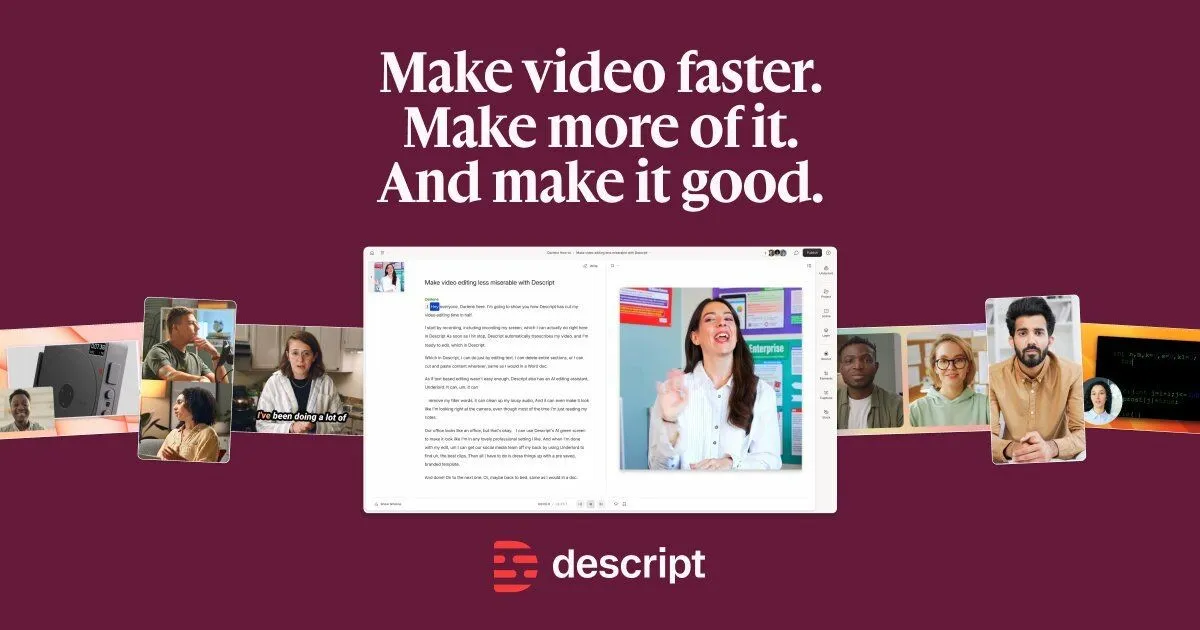
Descript is a text-based audio and video editor built around a single premise: for spoken-word content, the transcript is the timeline. Instead of scrubbing a video track to find and remove a sentence, the user finds it in the transcript and deletes the text; the underlying media updates to match. The company positions this as making video editing “as easy as creating docs and slides,” and for dialogue-heavy content — podcasts, interviews, talking-head videos, courses — the workflow genuinely changes what editing feels like[reference:0][reference:1].
Descript is not a general-purpose video editor. It is optimized for content where speech is the primary signal. Editing is metered in two pools (media hours and AI credits), the editor runs in the browser with no offline mode, and the AI co-editor, Underlord, is explicitly labeled beta. These are not incidental footnotes; they define the product's boundaries and should be weighed alongside its strengths.
How does Descript work?
A project begins with an import or an in-app recording. Descript transcribes the media automatically, with speaker detection on every plan (8+ speakers detected). The transcript becomes the primary editing surface: deleting words, rearranging paragraphs, or removing filler words produces corresponding cuts in the audio and video. Studio Sound, a one-click noise/echo/EQ pass, runs on import or on demand at a capped cost of 30 AI credits per file[reference:3]. Overdub allows the user to type a correction and have it spoken in their own cloned voice, provided the voice has been consent-verified and trained (roughly 24–48 hours).
Underlord, the AI co-editor, accepts natural-language prompts for tasks such as caption styling, clip extraction, translation, B-roll suggestions, and web search for fact-checking[reference:5]. Its credit cost is non-deterministic: the same prompt can consume different amounts across runs depending on the model chosen and the work performed[reference:6]. Descript's own documentation states that Underlord can “overpromise, make incorrect assumptions, or follow you into workflows it's not equipped to complete”[reference:7]. The output is a starting point that requires human review, not an autonomous finish.
Use Cases
- Editing a weekly podcast or interview show where the primary task is cutting dialogue, removing filler words, and tightening spoken content, and where editing by transcript is faster than scrubbing a timeline.
- Producing talking-head video content for YouTube, courses, or marketing where the speaker is the main visual and jump cuts and transcript-aligned edits are the dominant editing move.
- Repairing a flubbed line without re-recording, using Overdub to regenerate a word or short phrase in the speaker's own consented voice.
- Repurposing a finished long-form recording into clips using Underlord's clip-finding prompt, accepting that the suggested clips need editorial review before publishing.
- Cleaning up audio from a less-than-ideal recording setup with Studio Sound, with the expectation that it improves intelligibility but does not match a properly treated room or a dedicated audio-repair tool.
- Dubbing or translating spoken content into other languages on Creator and Business plans, where translation is metered in AI credits and lip-sync is available on Creator and above.
Pricing
Pricing model: Freemium
| Plan | Price | Billing | Included usage | Notes |
|---|---|---|---|---|
| Free | Free | — | 1 media hour/month, 100 one-time AI credits, 720p export with watermark, 5 GB cloud storage, uploads up to 1 GB per file. A real free tier, not a time-limited trial; no credit card required. | — |
| Hobbyist | $24 per month (or $16 per month billed annually) | per editor per month | 10 media hours/month, 400 AI credits/month, 1080p watermark-free export, 10 GB upload limit per file, 100 GB cloud storage. | — |
| Creator | $35 per month (or $24 per month billed annually) | per editor per month | 30 media hours/month, 800 AI credits/month, 4K watermark-free export, 20 GB upload limit per file, full Underlord, video generation, stock library. Supports up to 3 editors. Top-ups available. | — |
| Business | $65 per month (or $50 per month billed annually) | per editor per month | 40 media hours/month, 1,500 AI credits/month, 4K export, 50 GB upload limit per file, Brand Studio, translation and dubbing in 30+ languages, priority support. Supports up to 5 editors. Top-ups available. | — |
Common Limitations
- Dual metering (media hours + AI credits) · Since September 2025, every plan meters two separate pools: media hours (counted on import/recording, regardless of what is cut) and AI credits (spent on Underlord, Studio Sound, Overdub, translation, and other generative actions). Unused allowances do not roll over. A two-hour raw session trimmed to 40 minutes still consumes two media hours. Heavy AI users can exhaust credits before media hours, and top-ups are available only on Creator and Business.
- AI credit cost non-determinism · Underlord credit costs are not fixed. The same prompt can consume different amounts across runs because costs depend on the model selected, the length of media, and the work the model performs. Studio Sound and Remove Filler Words are capped at 30 credits per file/application, but broader Underlord prompts have no published per-action ceiling. Descript's own documentation acknowledges that this makes credit estimation harder than a flat rate.
- Web-based performance and stability · Descript's editor is cloud-dependent with no offline mode. User reviews across G2, Capterra, and Trustpilot consistently report lag, freezing, and unresponsiveness on large projects, including on high-spec hardware (M-series Macs, RTX GPUs, 32 GB+ RAM). Descript's own help documentation acknowledges projects can run “slow, glitchy, or lagging” and suggests lowering camera resolution as a workaround. This is a structural constraint of the browser-based architecture, not an isolated bug.
- Not a beat-synced short-form editor · Descript is built for spoken-word, transcript-aligned editing. It is not designed for beat-synced social video, trend-driven effects, or mobile-first vertical editing. Creators whose primary output is TikTok/Reels-style short-form with music sync and rapid cuts are usually better served by CapCut or a similar short-form-native tool.
- Transcription accuracy degrades on noise and accents · Transcription accuracy is roughly 92–95% on clean English audio, but drops to approximately 75–85% with background noise, strong accents, or domain-specific jargon. The transcript is the editing interface, so transcription errors propagate directly into wrong cuts and wrong captions. Every edit requires human verification by ear, especially for non-native speakers.
- Underlord is explicitly in beta · Descript's help center describes Underlord as in beta and warns that it “might overpromise, make incorrect assumptions, or follow you into workflows it's not equipped to complete.” Underlord's visual defaults are limited (generic centered captions), and it can flag content as “viral” based on keywords even when delivery is flat. AI outputs require manual review; the tool accelerates editing, it does not replace editorial judgment.
- Upload file size ceilings by plan · Uploads are capped by plan: 1 GB (Free), 10 GB (Hobbyist), 20 GB (Creator), 50 GB (Business), with a hard maximum of 50 GB. Long-form or high-bitrate source files may require pre-compression or splitting before import. Files with three or more audio channels are automatically downmixed to stereo on import.
- Plan editor-count limits · Creator supports up to 3 editors and Business up to 5 editors. Larger teams require the Enterprise tier. Seat count directly affects the shared pool of media hours and AI credits, so adding editors without adjusting the plan dilutes per-editor allowance.
Key Features
- Edit-by-transcript: delete text to cut the corresponding audio/video
- Automatic transcription with speaker detection (8+ speakers on every plan)
- Overdub voice cloning (consent-verified, own-voice-only) for word/phrase corrections
- Studio Sound one-click noise, echo, and EQ cleanup (capped at 30 AI credits per application)
- Dynamic captions and animated caption templates
Descript vs. CapCut and Adobe Podcast
This comparison uses publicly listed pricing, official documentation, and documented product positioning as of November 2026. Descript is a transcript-based editor for spoken-word content; CapCut is a short-form, timeline-first social video editor; Adobe Podcast is a single-purpose audio-cleanup tool. They address different stages of the production pipeline, so the comparison focuses on workflow fit and documented constraints rather than a subjective quality ranking.
| Tool | Positioning | Key differences | Best fit | Pricing note |
|---|---|---|---|---|
| Descript Official pricing Media minutes and AI credits documentation Export quality and file size documentation | A transcript-first audio and video editor for podcasters, interviewers, and talking-head creators. | Editing the transcript edits the media; bundles transcription, Overdub, Studio Sound, captions, and the Underlord co-editor. Dual metering (media hours + AI credits) since September 2025. Free tier is 1 media hour/month with 720p watermark. Paid plans $16–$50/editor/month annually. Browser-based with documented performance issues on large projects. Not built for beat-synced short-form video. | Podcasters, interview-based shows, course creators, and talking-head YouTubers whose editing bottleneck is cutting and tightening spoken dialogue rather than adding effects or music-synced cuts. | Free: 1 media hour/month, 100 one-time AI credits, 720p watermark. Hobbyist: $16/mo annual ($24 monthly), 10 hours, 400 credits, 1080p. Creator: $24/mo annual ($35 monthly), 30 hours, 800 credits, 4K, up to 3 editors. Business: $50/mo annual ($65 monthly), 40 hours, 1,500 credits, up to 5 editors. Top-ups on Creator and Business only. |
| CapCut Podcast editing tool comparison (CapCut positioning and limits) | A short-form social video editor optimized for TikTok, Reels, and YouTube Shorts, with auto-captions and mobile-first editing. | Timeline-first, effects-heavy, and built for speed on short-form content. Free tier is genuinely usable for social clips; Pro is roughly $10–$20/month. Auto-captions are capable but there is no transcript-as-editing-interface workflow, no Overdub-style voice cloning, and no Studio Sound equivalent. Audio cleanup is less surgical than Descript or Adobe Podcast on heavily damaged recordings. No multitrack podcast workflow. | Creators whose primary output is short-form social video with music sync, rapid cuts, and platform-native effects, where the editing task is clip assembly rather than dialogue tightening. | Free tier available with core editing and auto-captions. Pro approximately $19.99/month or $179.99/year (third-party sourced; verify current pricing). |
| Adobe Podcast Adobe Podcast positioning and limits Audio cleanup tool comparison | A single-purpose AI audio enhancement tool (Enhance Speech) that cleans up voice recordings, positioned as a companion to a full editor rather than an editor itself. | Not a timeline editor: the core product is a one-shot speech-enhancement filter plus a lightweight recorder. It does not offer transcript-based editing, multitrack arrangement, captions, or voice cloning. Its strength is cleanup quality on voice recordings, and it is typically used as a round-trip step before or after editing in another tool. Descript bundles cleanup into the editor (Studio Sound) so there is no export/re-import cycle, at the cost of the dual metering model. | Creators who already have an editing workflow they like and need a dedicated speech-cleanup pass on noisy recordings, without switching editors. | Free tier available with a daily Enhance Speech cap. Premium approximately $9.99/month (third-party sourced; verify current pricing). Included in some Adobe Firefly/Creative Cloud tiers. |
Comparison checked against official product information on 2026-11-08. Features and pricing may change.
Frequently Asked Questions
Is Descript a replacement for Premiere Pro or DaVinci Resolve?
No. Descript is built for spoken-word content where the transcript is the primary editing interface. It has a multitrack timeline, but it is not a cinematic finishing tool: color grading, advanced effects compositing, and frame-accurate VFX work are outside its scope. Teams doing narrative or commercial post-production typically use Descript for transcript-aligned rough cuts or dialogue editing and move to Premiere or Resolve for finishing.
How do media hours and AI credits actually work?
Media hours are consumed when media is imported or recorded, regardless of what is cut; a two-hour raw session that becomes a 40-minute edit still costs two media hours. AI credits are consumed when generative actions run: Underlord prompts, Studio Sound, Overdub, translation, and similar features. The pools are separate, both reset monthly, and neither rolls over. Studio Sound and Remove Filler Words are capped at 30 credits per file/application, but Underlord prompt costs are non-deterministic and can vary between runs[reference:10].
Is the free plan actually usable, or is it a trial?
The free plan is a real tier with no credit card requirement and no expiration, but it is not a production plan. It includes 1 media hour per month, 100 one-time AI credits, 720p watermarked exports, and 5 GB storage. One 45-minute interview consumes most of the monthly media allowance. It is suitable for evaluating the transcript-editing workflow, not for publishing a weekly show[reference:12].
What are the known performance issues?
User reviews across G2, Capterra, and Trustpilot consistently report lag, freezing, and multi-second delays on basic operations, including on high-spec hardware. Descript's own help documentation acknowledges that projects can run “slow, glitchy, or lagging” and recommends lowering camera resolution or switching from 4K to 1080p as workarounds. The browser-based architecture and cloud dependency contribute to these symptoms; there is no offline editing mode[reference:13][reference:14].
Is Underlord reliable enough to use without reviewing its output?
No. Descript labels Underlord as beta and states that it can overpromise, make incorrect assumptions, and follow prompts into workflows it cannot complete. It can generate generic visual defaults and flag content as viral based on keywords rather than delivery. Every Underlord action consumes AI credits and requires human verification. The tool accelerates the first draft of an edit; it does not replace editorial judgment[reference:15].
Alternative Tools
-
 Runway Runway is a credit-metered AI video and image platform built around an editing timeline, with Gen-4.5 generation, Aleph 2.0 video-to-video editing, and a free tier limited to 125 one-time watermarked credits.
-
 Google Veo Google Veo 3.1 is an 8-second cinematic video generator with native synchronized audio, up to 4K output, and per-second API pricing from $0.05 to $0.60. It excels at dialogue-driven and B-roll clips; it is not a long-form video tool, extension drops to 720p, Flow is regionally restricted, and every output carries an irremovable SynthID watermark.
-
 HeyGen HeyGen is an avatar video and video translation platform whose credit costs range from 4 to 48 credits per minute depending on the Avatar engine, with a free tier limited to 1–3 short, watermarked, non-commercial videos per month.
-
 Kling AI Kling AI is a credit-metered AI video generation platform from Kuaishou, offering text-to-video, image-to-video, motion control, and native audio with lip-sync across model versions from 1.x to 4.0, with a free daily-credit tier limited to watermarked, non-commercial 720p output.
-
 Seedance Seedance 2.5 是字节跳动的视频生成模型,单次生成 4–30 秒、最高 1080p,支持多镜头叙事和多模态参考(图/视频/音频),分镜运镜控制获第三方评测认可。但它没有字节官方的免费 API 层,1080p 并非全渠道可用,原生音频在评测中被标为可选,角色一致性需要参考图工程化管理,物理模拟在流体等场景仍有可测量缺陷。
-
 Canva Canva is a template-driven visual design platform whose AI layer—Canva AI 2.0—is a paid-plan feature for conversational editing inside the design editor, metered by a pooled monthly allowance that Free users can access only in a limited, earlier-generation form.